
The AMD AI Bundle is great !
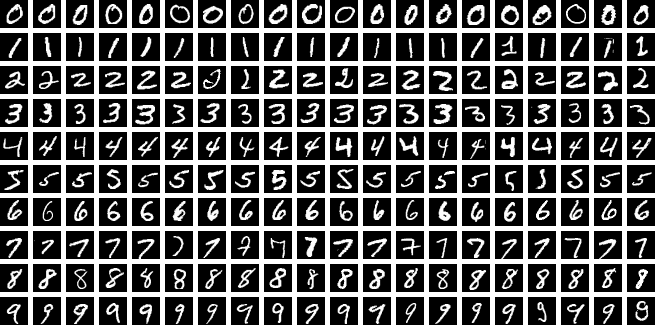
I setup a basic type of visual A.I. training using the MNIST data set. This trains the AI (using my AMD GPU) to recognise hand written numbers.
import torch
import torch.nn as nn
import torch.optim as optim
from torchvision import datasets, transforms

# 1. Setup Device - The bundle maps AMD to 'cuda' for compatibility
device = torch.device("cuda" if torch.cuda.is_available() else "cpu")
print(f"Training on: {torch.cuda.get_device_name(0)}")

# 2. Simple Neural Network
class Net(nn.Module):
    def __init__(self):
        super(Net, self).__init__()
        self.fc1 = nn.Linear(784, 128)
        self.fc2 = nn.Linear(128, 10)

    def forward(self, x):
        x = torch.flatten(x, 1)
        x = torch.relu(self.fc1(x))
        return self.fc2(x)

# 3. Data & Training Setup
transform = transforms.Compose([transforms.ToTensor()])
train_loader = torch.utils.data.DataLoader(
    datasets.MNIST('./data', train=True, download=True, transform=transform), batch_size=64)

model = Net().to(device)
optimizer = optim.SGD(model.parameters(), lr=0.01)
criterion = nn.CrossEntropyLoss()

# 4. Training Loop (Just 1 Epoch for speed)
model.train()
print("Starting training...")
for batch_idx, (data, target) in enumerate(train_loader):
    data, target = data.to(device), target.to(device)
    optimizer.zero_grad()
    output = model(data)
    loss = criterion(output, target)
    loss.backward()
    optimizer.step()

    if batch_idx % 100 == 0:
        print(f"Batch {batch_idx}/{len(train_loader)} - Loss: {loss.item():.4f}")

print("Training Complete! Your AMD GPU successfully calculated gradients.")This gives …
Training on: AMD Radeon RX 9060 XT
100%|██████████████████████████████████████████████████████████████████████████████████████| 9.91M/9.91M [00:01<00:00, 7.77MB/s]
100%|███████████████████████████████████████████████████████████████████████████████████████| 28.9k/28.9k [00:00<00:00, 313kB/s]
100%|██████████████████████████████████████████████████████████████████████████████████████| 1.65M/1.65M [00:00<00:00, 2.98MB/s]
100%|██████████████████████████████████████████████████████████████████████████████████████████████| 4.54k/4.54k [00:00<?, ?B/s]
Starting training...
Batch 0/938 - Loss: 2.2973
Batch 100/938 - Loss: 2.0803
Batch 200/938 - Loss: 1.8414
Batch 300/938 - Loss: 1.3864
Batch 400/938 - Loss: 1.1284
Batch 500/938 - Loss: 0.9323
Batch 600/938 - Loss: 0.7264
Batch 700/938 - Loss: 0.8299
Batch 800/938 - Loss: 0.7124
Batch 900/938 - Loss: 0.6162
Training Complete! Your AMD GPU successfully calculated gradients.I wrote a custom visualiser to show what the AI can then do with that training. See the video at the top. I even selected some hand written numbers from my photo’s to test.
This kind of training may be used in the Ableton AI assistant product that we are working on.
Leave a Reply